Your own sounds, in any song
Subscribers can now add their own recordings to Songcode, play them on any stem, and let Songcode write with them.
Songcode’s sound picker has nearly 500 sounds on its shelves, and it still doesn’t have the kick you made last spring, the snap you recorded in your kitchen or the one cello note you bowed for a film. Now it can. Subscribers can add recordings of their own, and from then on each one is a sound like any other: on its own shelf in the sound picker, playable on any stem, and in reach of Songcode when it writes.
Adding one
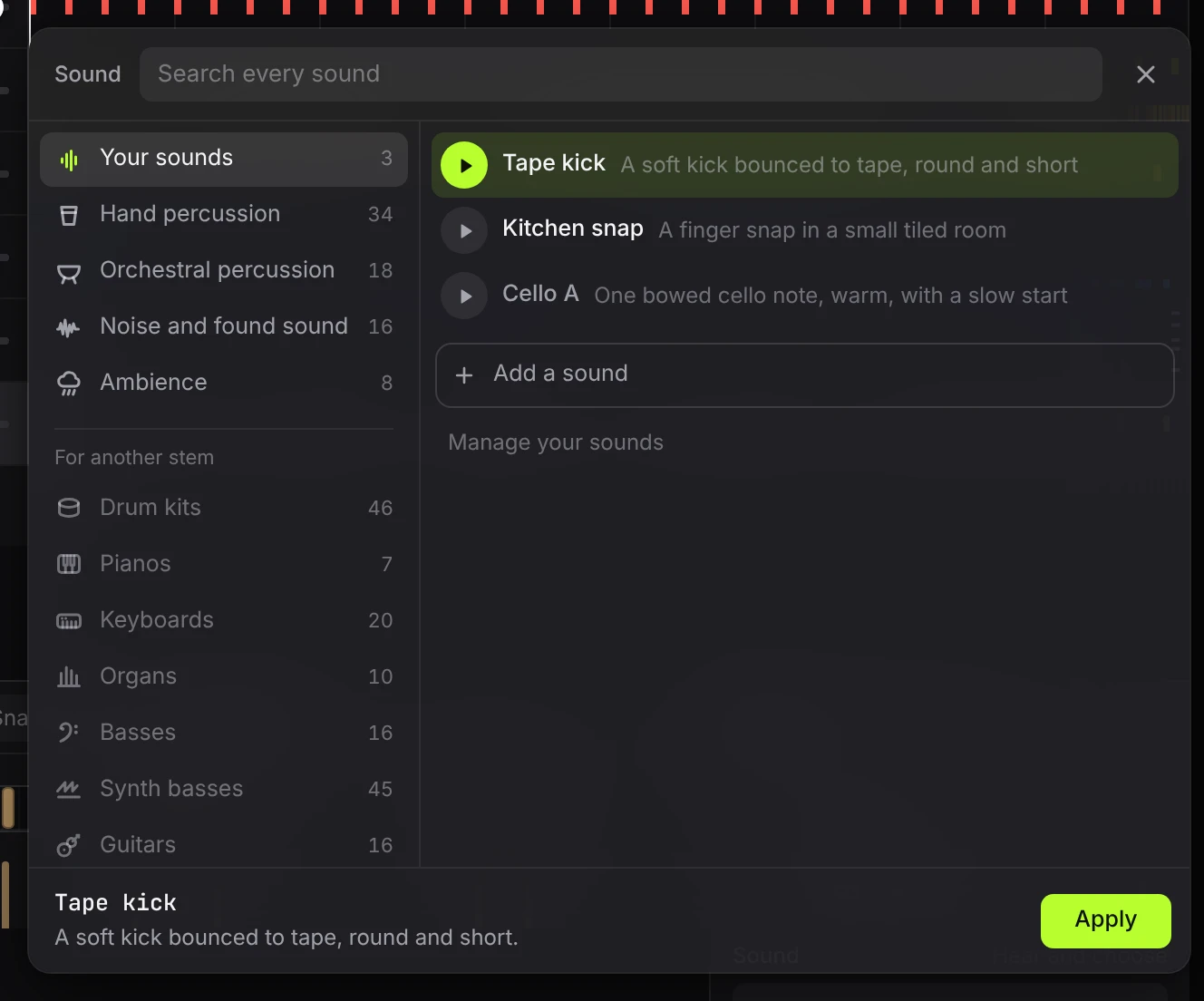
Open the sound picker on any stem. The first shelf is Your sounds, and at the bottom of it is Add a sound. That opens a short guide in three steps.
The recording. Choose a file or drop one in: WAV, AIFF, MP3, M4A, OGG or FLAC. It’s read in your browser, not on our servers.
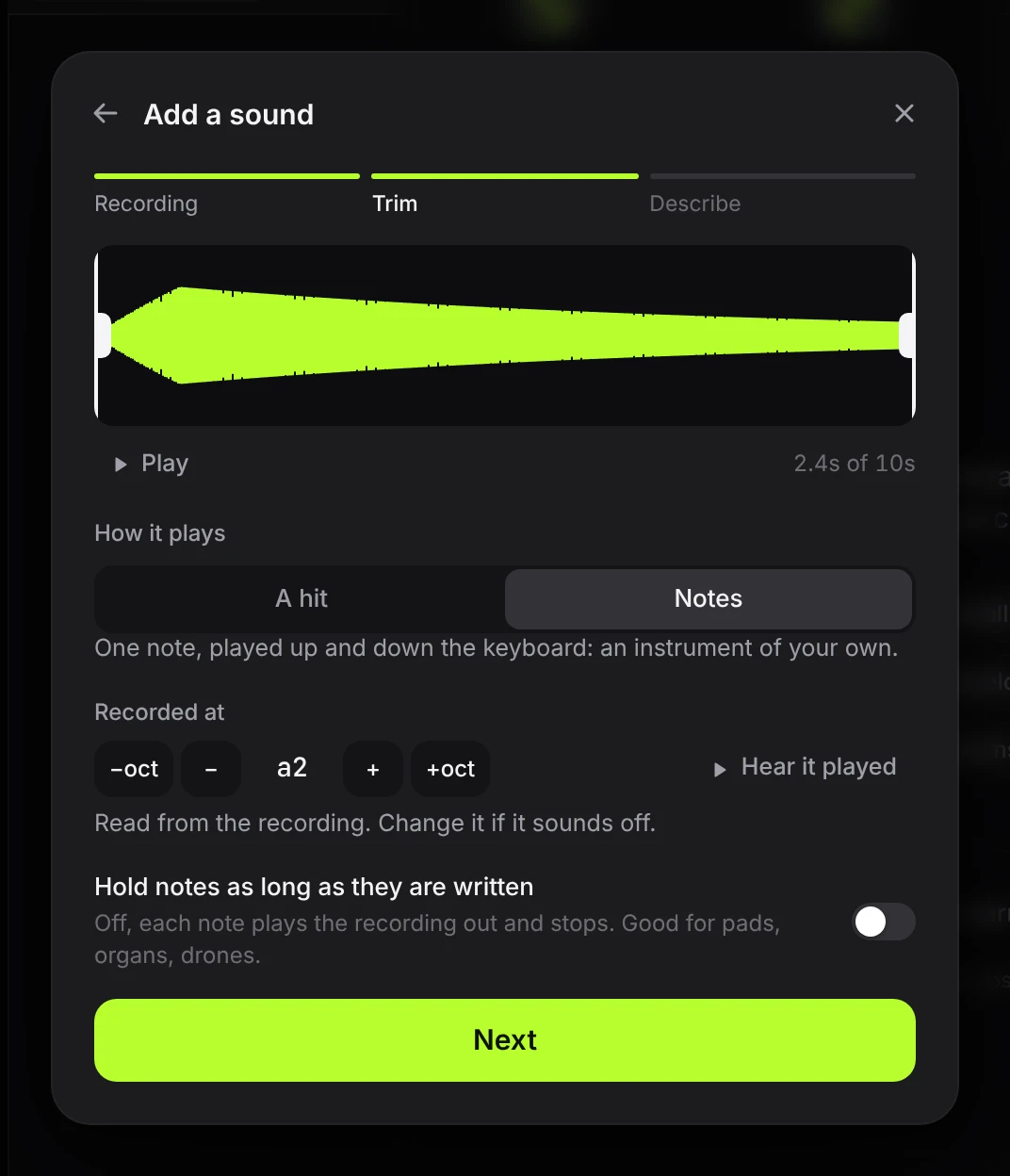
The trim. Songcode finds where the sound starts and where it dies away, and you can drag either end. A sound can be up to 10 seconds long. Then you say how it plays:
- A hit plays the recording as it is, on every hit of a rhythm. Drums, chops, one-shots.
- Notes plays one recorded note up and down the keyboard, so a stem can play a tune with it. Songcode reads the pitch the note was recorded at, and you can correct it. A note can play out and stop, or hold for as long as the song writes it, which suits pads, organs and drones.
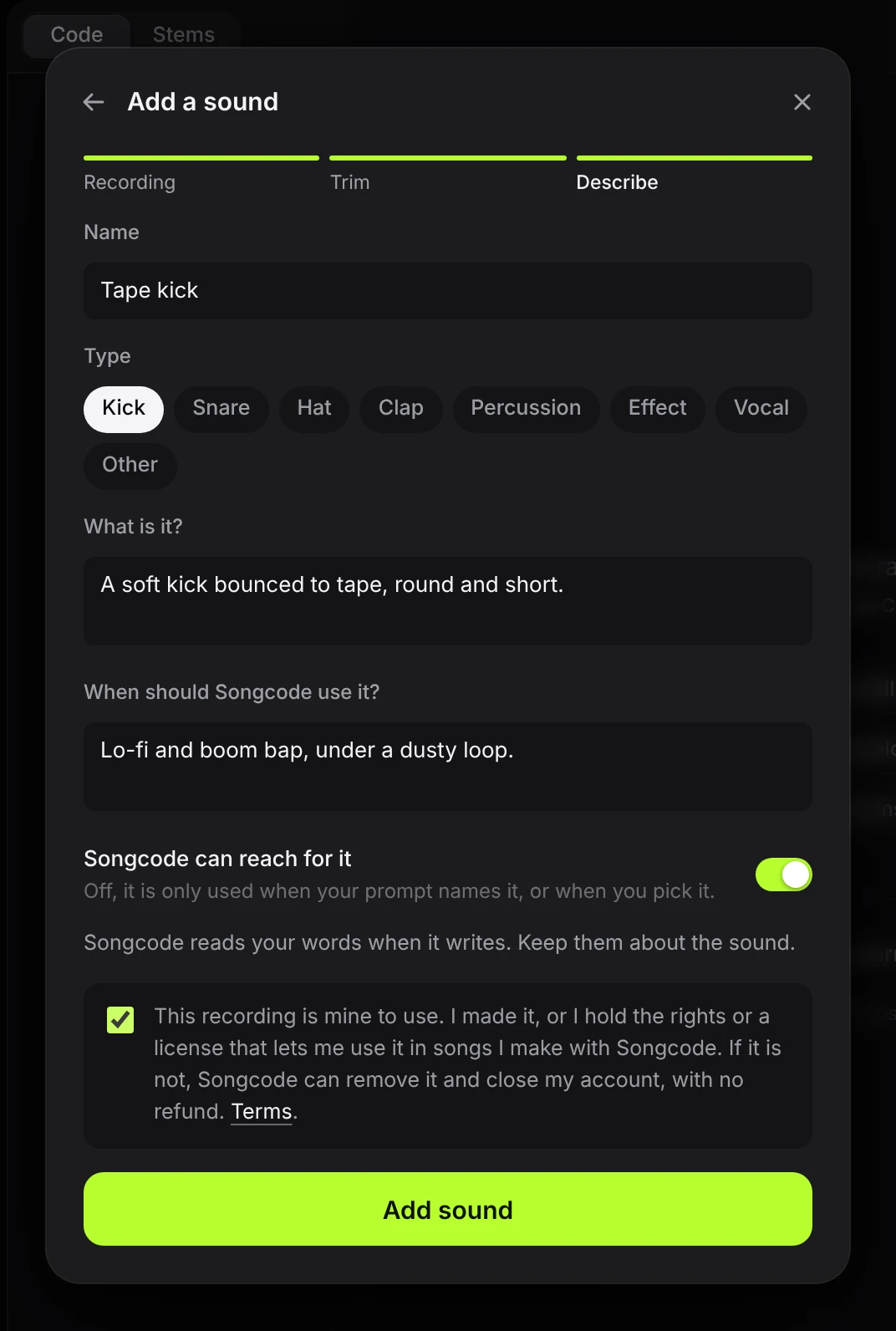
The description. Give it a name and a type, say what it is, and say when Songcode should use it. Those last two are for the model. “A soft kick bounced to tape” and “lo-fi and boom bap, under a dusty loop” tell Songcode what it’s holding and where it belongs. Last, you confirm the recording is yours to use, which we’ll come back to.
Only the trimmed sound is uploaded. Your browser converts it to one small recording at a common level, so your sounds sit with the library’s at the same loudness, and the original file never leaves your computer.
Playing one
Your sounds are on their own shelf, first in the picker. Each one says whether it’s a hit or plays notes, so the picker knows which stems it fits. Pick one while the song is playing and you hear the stem on it in place, before anything is written.
In the ode, a sound of your own is written with its name, a dot and a code:
stem kick: tape_kick.h7kq3m9tx {
  rhythm [x... ..x. x... ....]
}
The name is there so the song reads well. The code is what plays. Rename the sound later and every song that uses it keeps playing it, and a song shared with someone else plays your sound for them too, because the code goes wherever the song does.
Writing with one
This is the part we spent the most time on. When you generate, Songcode can use your sounds the way it uses its own.
If your prompt names one (“a boom bap loop on my tape kick”), Songcode puts it on the part the prompt gives it. If you’ve left Songcode can reach for it on, Songcode may also choose a sound of yours when it suits the song you asked for, going by what you wrote about it. It keeps that to a sound or two a song, so your sounds add to a song without taking it over. Turn the switch off and a sound is used only when you name it or pick it yourself.
Songcode only reads about the few sounds a song might need, never your whole shelf, so adding sounds doesn’t make writing slower or use more of your week. The same goes for remixing a song and regenerating a stem: a sound already in the song stays in it.
When a sound is gone
If you delete a sound, the songs that used it don’t break. Each one plays one of our own sounds of the same type in its place (a kick for a kick, a bass for a bass) and says so, and the ode still names your sound. Nothing in a song you’ve shared goes silent.
The rules
Adding your own sounds is for Songcode Subscribers. Each account can hold 50, up to 10 seconds each and two minutes in all.
Only add sounds that are yours to use: something you recorded or made, or a sample whose license lets you use it in songs you make and share. A recording of someone else’s record isn’t. We don’t check, license or own what you add, and we have nothing to do with it. If we find a sound isn’t yours to use, we remove it straight away and may close the account that added it, with no refund. The terms set this out in full, and the privacy page says what we keep.
Your recordings are used to play your songs and nothing else. We don’t train any model on them.